Agent mode
Plain chat answers with text. Agent mode lets the assistant act — run multi-step tools, load skills, search your knowledge base, execute code, and produce real, downloadable files. Under the hood, each Agent turn is run by hipmmcode, the platform's agent kernel.
Turn it on
- Just above the input box, click the 🤖 智能体 (Agent) chip.
- When active it turns orange and reads 🤖 智能体 · 已开启 (Agent · On). Agent mode is per-conversation — it applies to this chat; click it again to turn it off, or start a new chat.
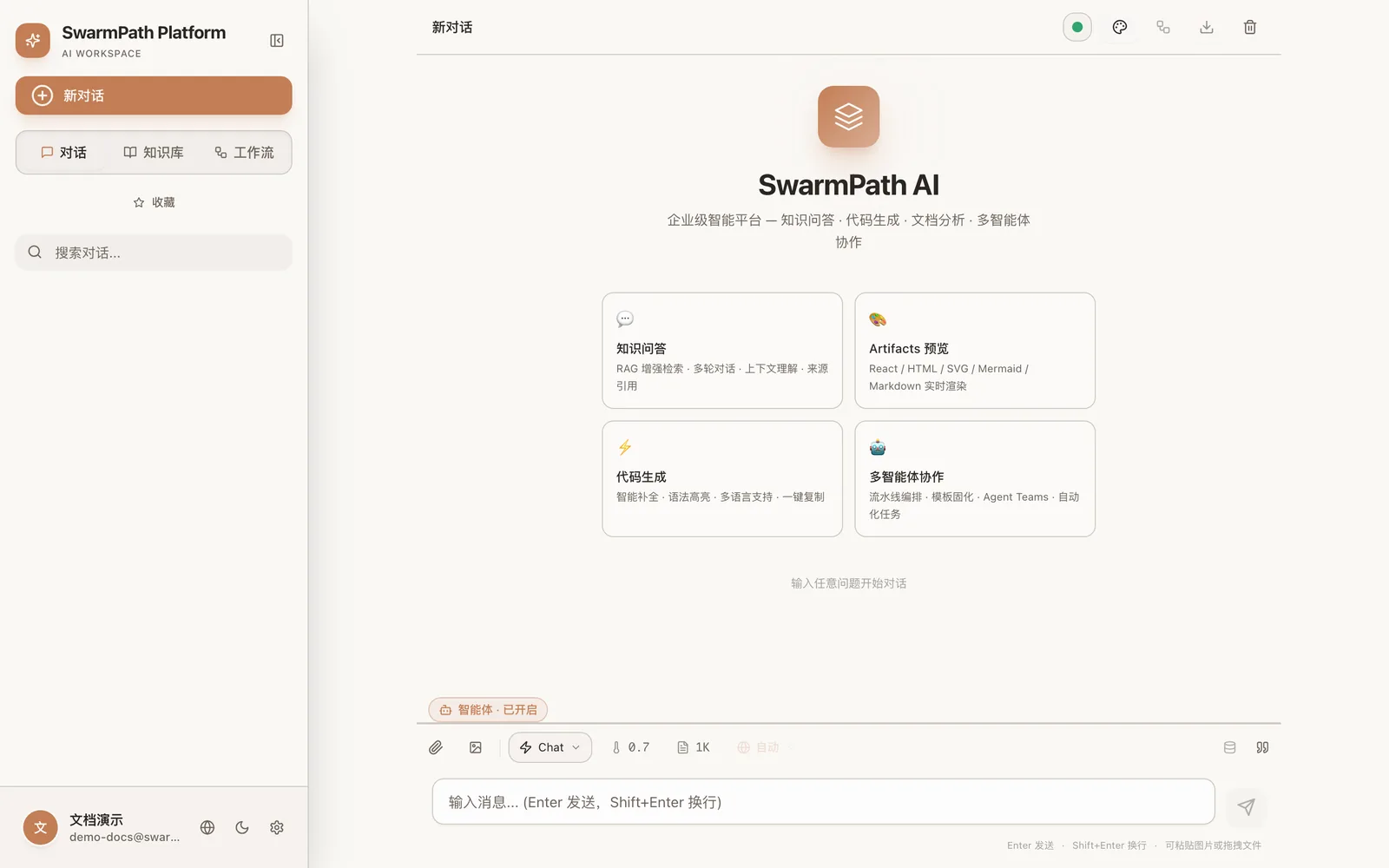 The highlighted orange "🤖 智能体 · 已开启" (Agent · On) chip above the input = Agent mode on; the toolbar below picks the model and attaches files
What it unlocks
- Multi-step tool use — the agent can chain steps: search → read → compute → write, deciding what to do next as it goes.
- Real document generation — via built-in skills it produces downloadable files, each shown as a download card:
- Word (
.docx) — headings, colored tables, table of contents - PowerPoint (
.pptx) — themed slides, shapes, icons - Excel (
.xlsx) — formatted cells, linked data - PDF / Markdown / HTML
- Word (
- Knowledge base auto-injected — the conversation's knowledge base is available to the agent, so generated deliverables are grounded in your documents.
- Code execution — the agent can run code to compute, transform data, or verify results (see Artifacts, code & workflows).
Example prompts
- "Read the docs in this project and produce a 5-slide PowerPoint overview."
- "Build an Excel sheet summarizing the figures in these three reports."
- "Draft a contract from this template, filling in the parties from my notes, as a Word file."
Tool approval (if enabled)
Some deployments enable a tool-approval step: before the agent runs a sensitive tool, an approval card appears and you Allow / Allow always / Deny. Read-only tools are typically auto-allowed. If your deployment doesn't enable this, the agent runs its tools directly.
Turn a good run into a workflow
After a successful agent run you may see a "Convert to workflow" option. This captures the steps as a reusable workflow you can replay later on new inputs.
Notes
- Agent turns run sequentially per conversation — send one request at a time; rapid messages queue.
- Generation grounded in your knowledge base only sees documents in the current project.